> ## Documentation Index
> Fetch the complete documentation index at: https://starlight.mintlify.site/llms.txt
> Use this file to discover all available pages before exploring further.
# Getting Started
> Kickstart your integration with TMDB API
To get started with the TMDB API, you need to follow the following steps:
* Log in or sign up for a TMDB account if you don't have one. Click this [link](https://www.themoviedb.org/) to get started[.](https://www.themoviedb.org/signup)
* Get your API keys or access token. For more information about your credentials, check the [Authentication ](https://starlight.mintlify.app/api-reference/authentication)page.
## API Base Url
All endpoints in this documentation use this base url
```http theme={null}
https://api.themoviedb.org/3
```
## Content-Type
All endpoints expect and return data in the `json/application` format.
## API Headers
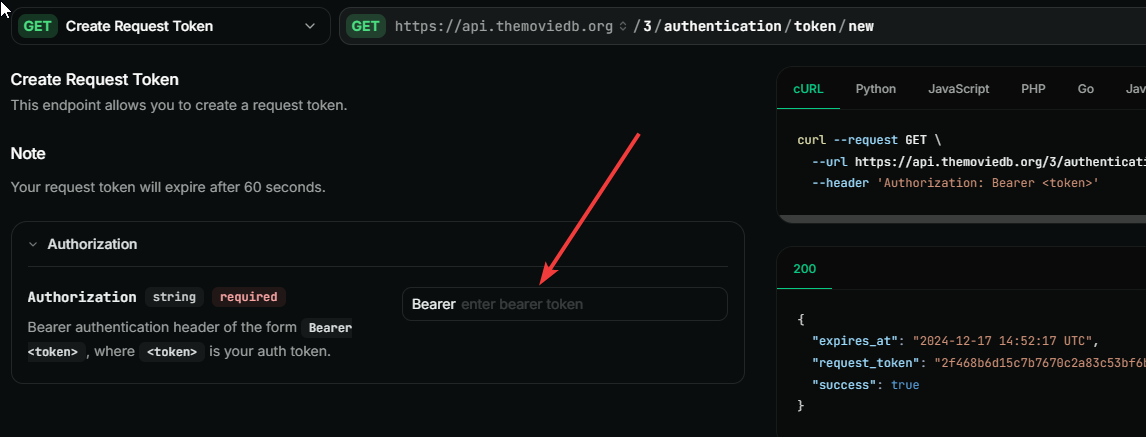
To make a successful request, ensure you include the necessary headers. The steps are as follows:
Navigate to the `Authorization` header.
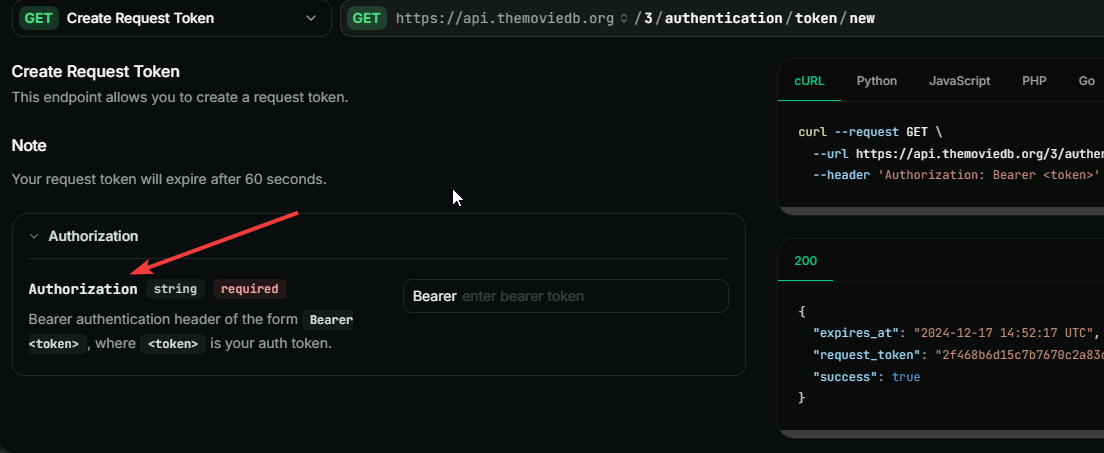 Select your `Auth-type.`This is either `Bearer Token` or `API Key`. Check the [Authentication ](https://starlight.mintlify.app/api-reference/authentication)section for more information about your credentials.
Enter your value for the selected `Auth-type`
Select your `Auth-type.`This is either `Bearer Token` or `API Key`. Check the [Authentication ](https://starlight.mintlify.app/api-reference/authentication)section for more information about your credentials.
Enter your value for the selected `Auth-type`
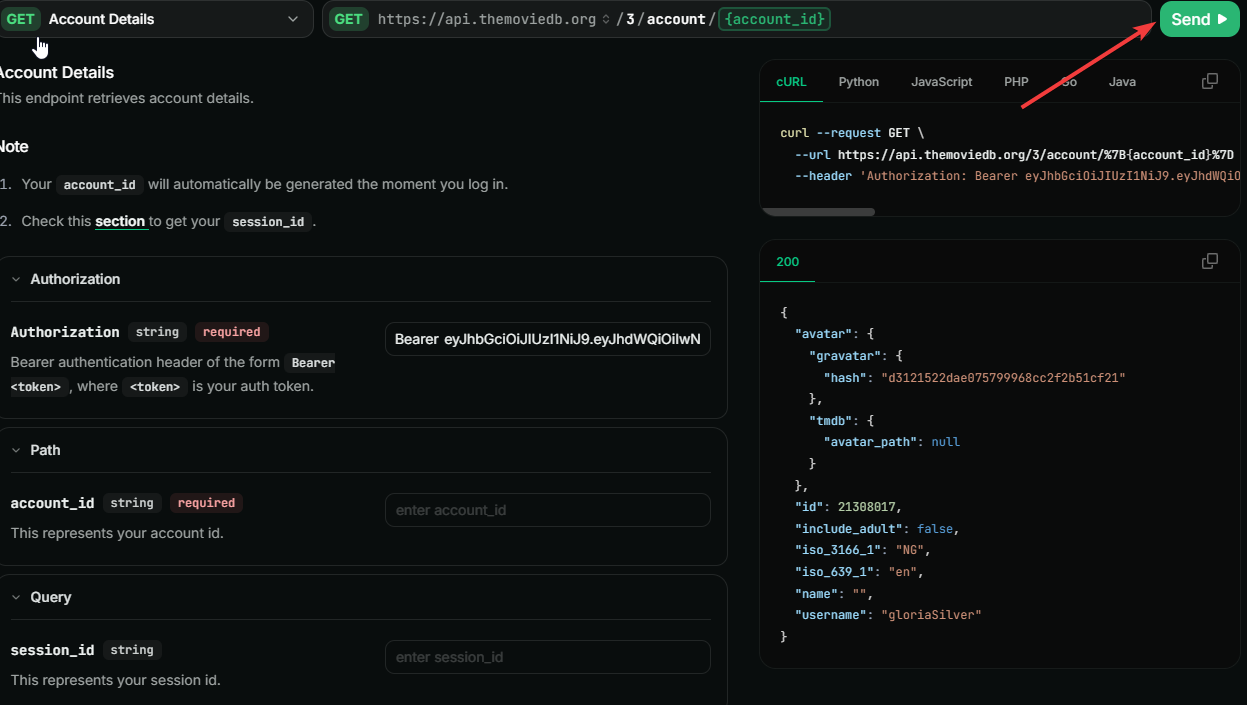
 ## How To Make Request Directly On The Platform
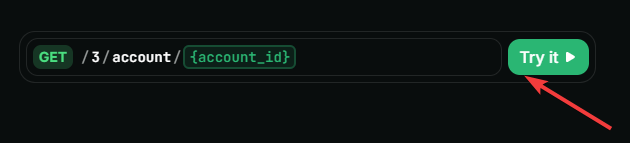
Navigate to the endpoint section and select the particular endpoint you wish to interact with.
Click the `Try It` button.
Enter the required parameter in each field.
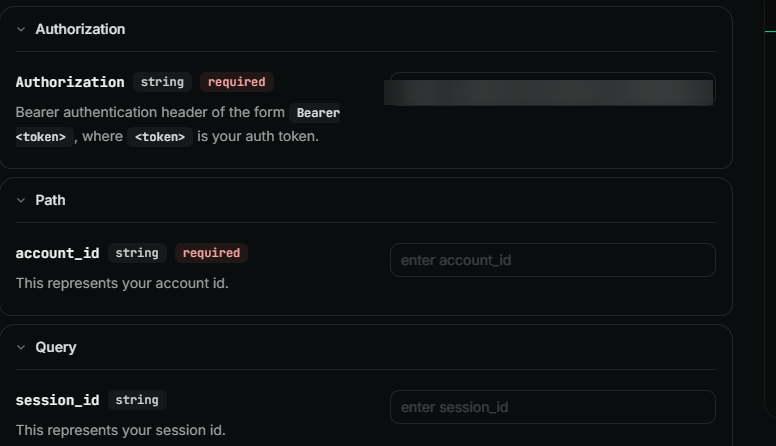
Click the 'Send' button. This will automatically send your request to the API.
Important Notes
* Check the [Configuration ](https://go.postman.co/workspace/5a95b8a8-615c-46b0-8455-46329b7f84fb/documentation/35016516-547dcbf5-5123-447f-8e80-362becb3a4a0?entity=folder-fd4474c2-e507-4c34-862a-006ac1f85f52)methods to get useful information about the static list of data used throughout the database. You can get information about countries, languages, officially supported translations, time zones, and images.
* Understanding the basics of our API authentication is important. You can get more information about it here.
* It is crucial to understand how our API rate-limiting works as we enforce limits on the use of our API. For more information, check the [Rate limiting](https://go.postman.co/workspace/5a95b8a8-615c-46b0-8455-46329b7f84fb/documentation/35016516-547dcbf5-5123-447f-8e80-362becb3a4a0?entity=folder-620743f3-7df6-428c-bb0b-322358bb48f5) page.
## How To Make Request Directly On The Platform
Navigate to the endpoint section and select the particular endpoint you wish to interact with.
Click the `Try It` button.

Enter the required parameter in each field.

Click the 'Send' button. This will automatically send your request to the API.

Important Notes
* Check the [Configuration ](https://go.postman.co/workspace/5a95b8a8-615c-46b0-8455-46329b7f84fb/documentation/35016516-547dcbf5-5123-447f-8e80-362becb3a4a0?entity=folder-fd4474c2-e507-4c34-862a-006ac1f85f52)methods to get useful information about the static list of data used throughout the database. You can get information about countries, languages, officially supported translations, time zones, and images.
* Understanding the basics of our API authentication is important. You can get more information about it here.
* It is crucial to understand how our API rate-limiting works as we enforce limits on the use of our API. For more information, check the [Rate limiting](https://go.postman.co/workspace/5a95b8a8-615c-46b0-8455-46329b7f84fb/documentation/35016516-547dcbf5-5123-447f-8e80-362becb3a4a0?entity=folder-620743f3-7df6-428c-bb0b-322358bb48f5) page.