

- Log in or sign up for a TMDB account if you don’t have one. Click this link to get started.
- Get your API keys or access token. For more information about your credentials, check the Authentication page.
API Base Url
All endpoints in this documentation use this base urlContent-Type
All endpoints expect and return data in thejson/application format.
API Headers
To make a successful request, ensure you include the necessary headers. The steps are as follows:1
Step 1
Navigate to the 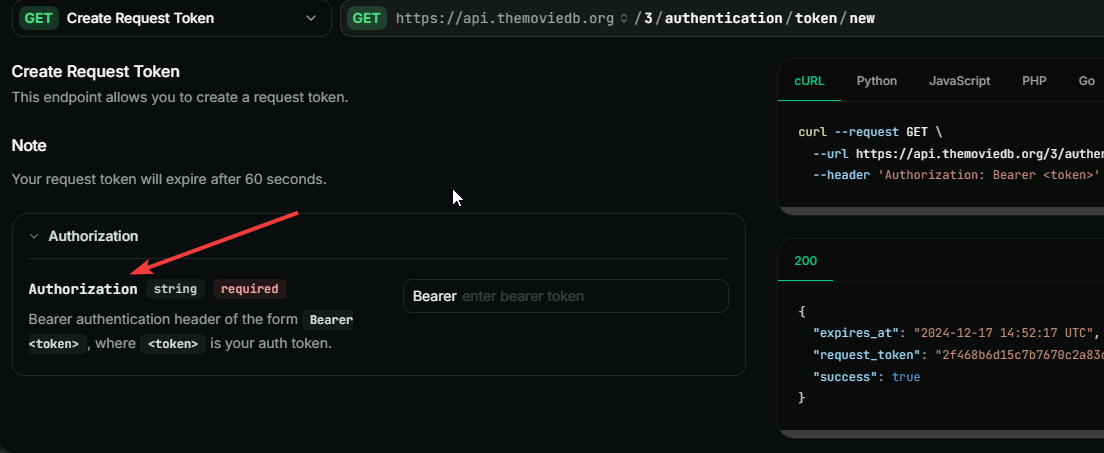
Authorization header.2
Step 2
Select your
Auth-type.This is either Bearer Token or API Key. Check the Authentication section for more information about your credentials.3
Step 3
Enter your value for the selected 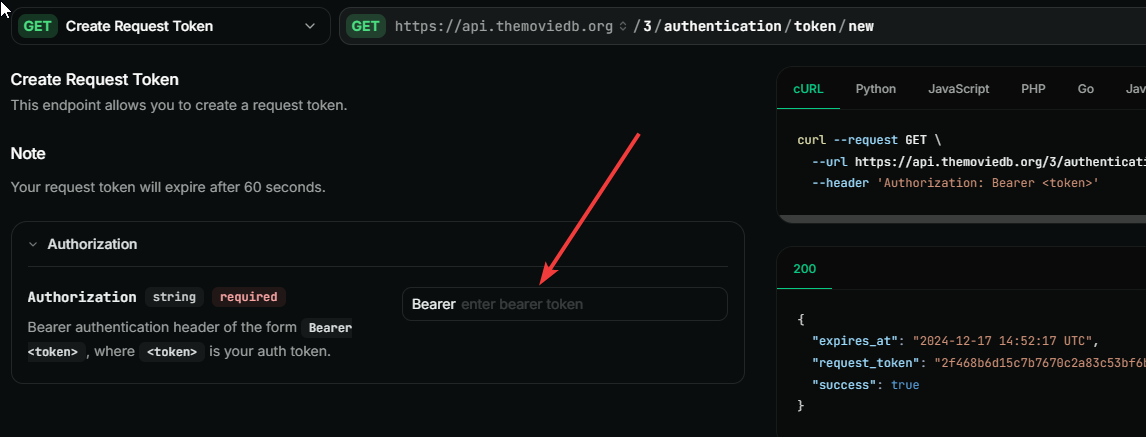
Auth-typeHow To Make Request Directly On The Platform
1
Step 1
Navigate to the endpoint section and select the particular endpoint you wish to interact with.
2
Step 2
Click the 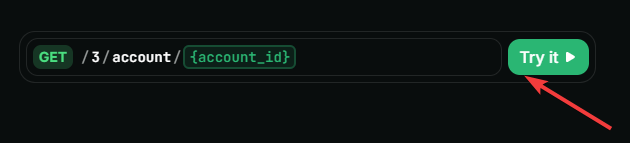
Try It button.3
Step 3
Enter the required parameter in each field.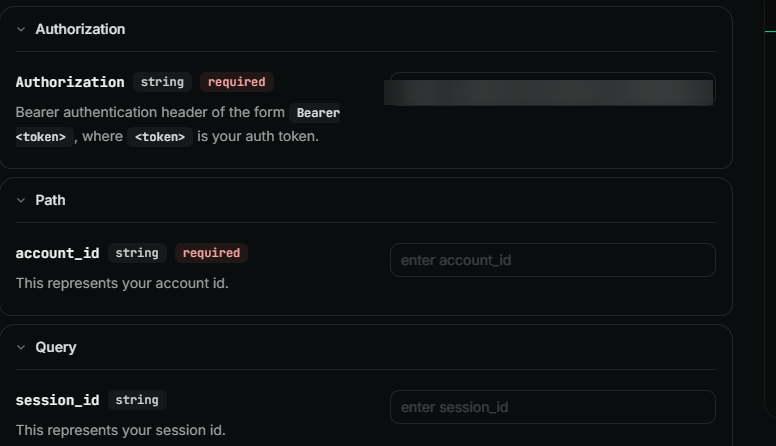
4
Step 4
Click the ‘Send’ button. This will automatically send your request to the API.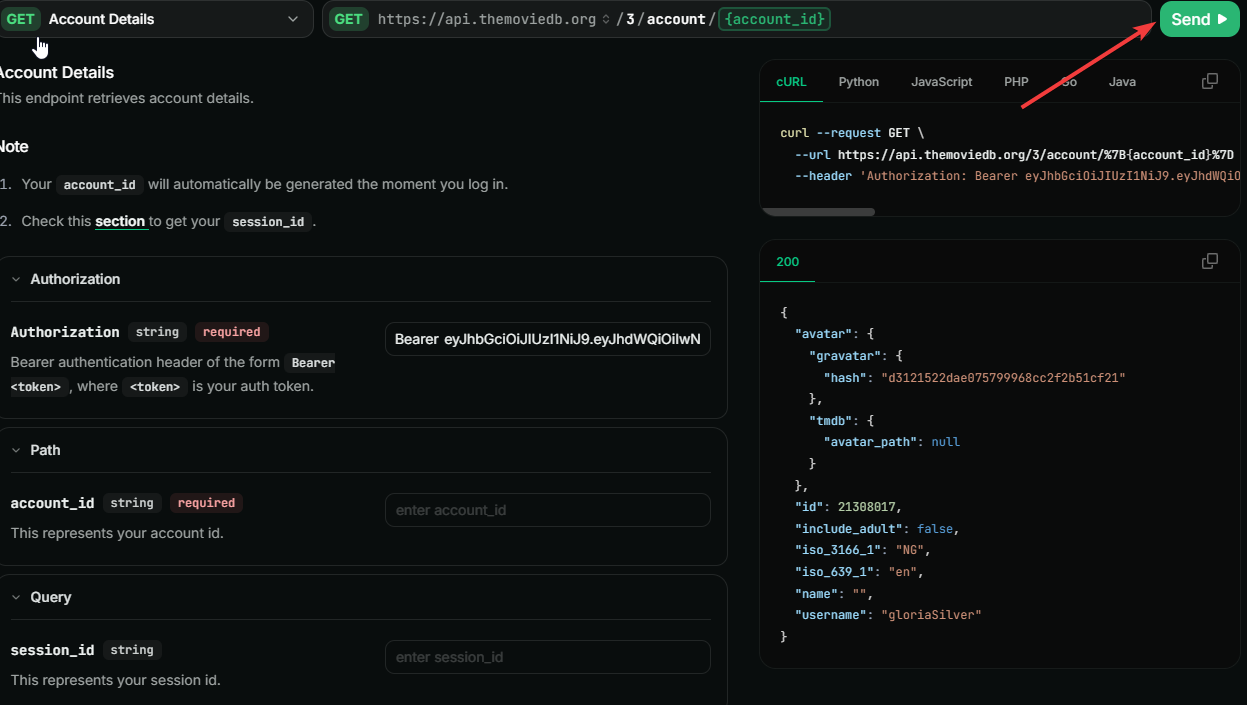
Important Notes
- Check the Configuration methods to get useful information about the static list of data used throughout the database. You can get information about countries, languages, officially supported translations, time zones, and images.
- Understanding the basics of our API authentication is important. You can get more information about it here.
- It is crucial to understand how our API rate-limiting works as we enforce limits on the use of our API. For more information, check the Rate limiting page.